Blog post
Performance Max updates and other product news for April 2026

We’re back with another product update roundup for the Microsoft Advertising platform for April. Since our last update, we’ve covered the latest on the AI Performance Dashboard, GEO, and how we’re evolving the Microsoft Advertising API Platform.
For today, we’ll cover how Microsoft Advertising is helping drive efficient performance and build advertiser confidence with new tools and transparency.
Easily import Performance Max campaigns with new customer acquisition goals from Google Ads
New customer acquisition (NCA) goals for Performance Max (PMax) campaigns have been generally available since the start of the year, and advertisers are seeing great success with it so far. For example, ADAC Car Insurance used NCA to prioritize first-time policy buyers to expand their reach efficiently while maintaining strong engagement with existing members. In their first weeks, they generated nearly 600% ROAS with new customers.
Now, we’re making it easier to launch PMax campaigns with NCA goals by adding the ability to import these campaigns from Google Ads into Microsoft Advertising. This has rolled out to all advertisers as of this week.
Here are a few key things to know about importing:
- Google Ads PMax campaigns with NCA goals will be imported if not already present in the Microsoft Advertising account.
- Existing NCA goals or configurations within your Microsoft Advertising account will not be overridden.
- For audience lists:
- Google’s “website visitors” audience segments will be converted into equivalent rule-based remarketing lists in Microsoft Advertising.
- Google’s auto-created “all visitors” or “all converters” lists will be mapped to Microsoft Advertising’s corresponding lists.
- If an NCA goal uses an unsupported list (e.g. Customer Match), you’ll have the option to either use an “all converters” list or import without an audience list created.
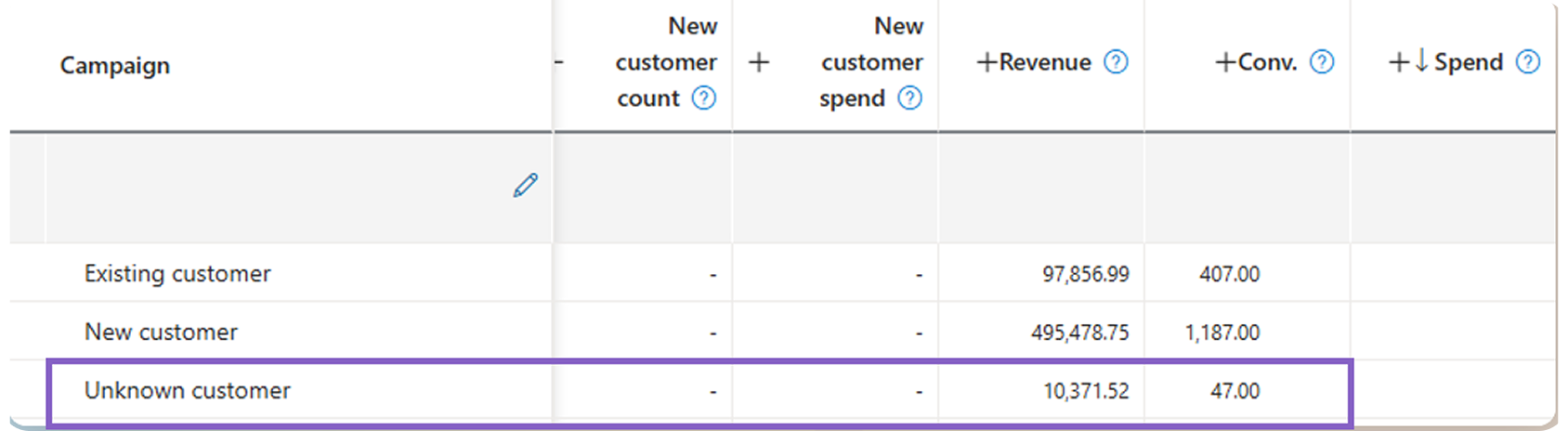
Our differentiated approach to “unknown” customers: Microsoft runs on trust from our advertisers. That’s why we take a more conservative approach when identifying whether a customer is new or existing. For customers classified as “unknown” in a PMax NCA campaign, we treat them as existing customers to avoid potential inaccuracies.
For more information about NCA setup and about what else gets imported from Google Ads, please see these help documents: Create a Performance Max campaign and What gets imported from Google Ads.
Landing page reporting now available for PMax
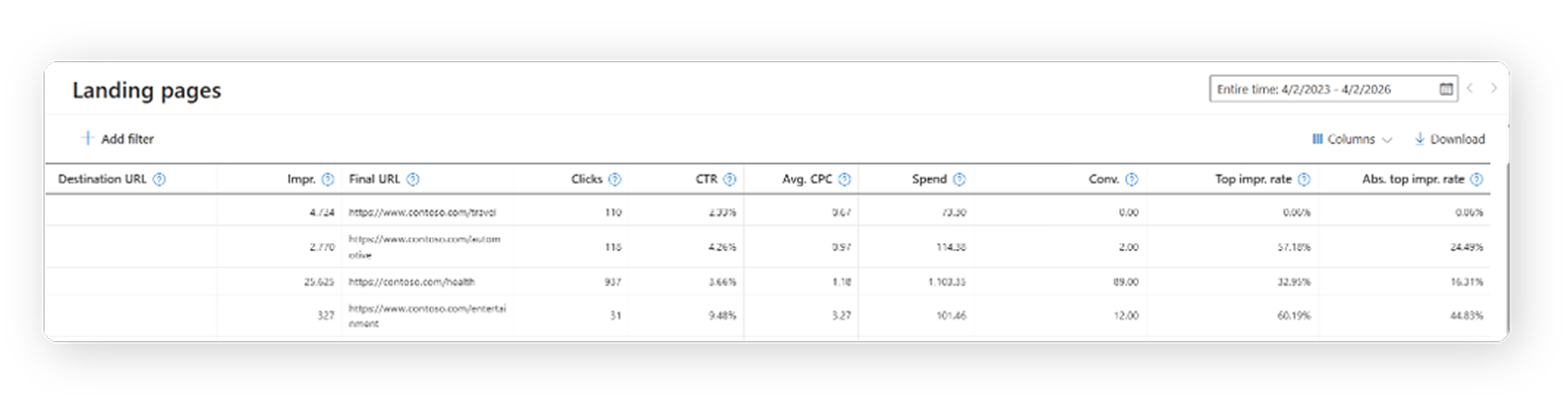
We know transparency is paramount for advertisers, so we’re also glad to announce that landing page (Final URL) reporting is now available for PMax campaigns. This allows you to see performance by Final URL including spend, impressions, clicks, and conversion metrics like all conv. revenue and ROAS.
You can also add other columns to further customize your view. Segment by campaign, asset group, custom parameters, and more to help you get a better picture of how your PMax campaigns are bringing users to your website.
Lastly, while you’ve always been able to see all search terms in your search term insights reporting, note that this search term column is now shown as the default. It’ll also be in the search term column starting in May. There’s plenty more to come to provide more transparency to PMax campaigns, such as auction insights and additional metrics in the publisher URL report. Stay tuned.
Apply seasonality adjustments to campaigns using portfolio bid strategies
Seasonality adjustments now support campaigns using portfolio bid strategies, extending a capability that was previously available for individual campaigns.
Seasonality adjustments are ideal for short-term events when you expect a temporary, significant change in conversion rates, such as a major promotion, seasonal peak, or planned big event. They are not designed for your ongoing performance optimization or normal learning-period changes, and they work only with tROAS and tCPA campaigns.
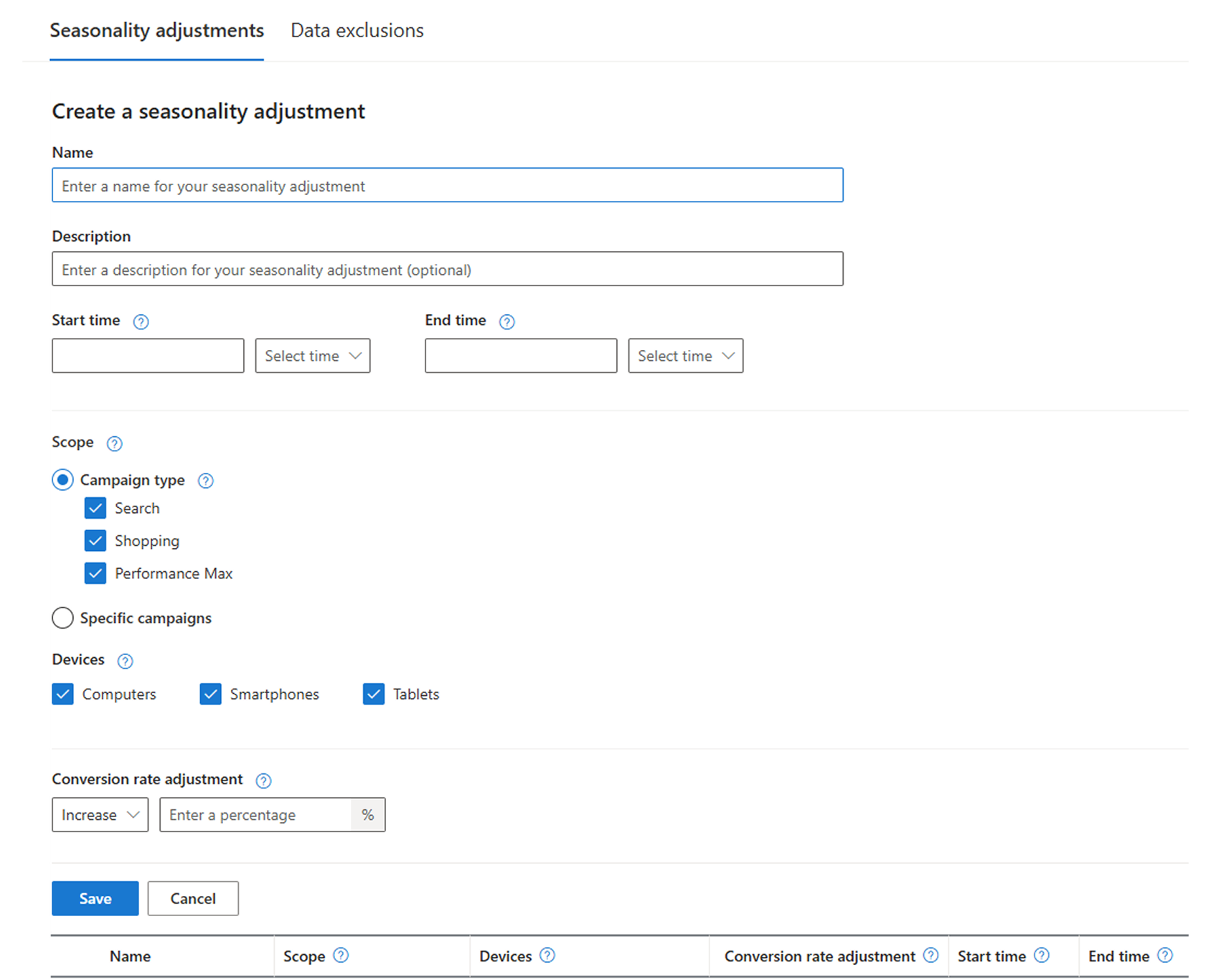
When applying seasonality adjustments to portfolios, we recommend applying one consistent adjustment across all campaigns. Use different adjustments only when campaigns have clearly different seasonal patterns, such as brand vs. non-brand or distinct product categories. Mixed adjustments may cause the portfolio to rebalance spend within your campaigns more aggressively.
Get more flexibility naming your campaigns Many advertisers and partners use structured information like geography and product category in campaign names to automate reporting and large-scale account management. That’s why we’re excited to announce that Microsoft Advertising now supports campaign names up to 400 characters, an increase from the previous 128‑character limit. This update applies across the Microsoft Advertising Platform and brings us to parity with campaign name limits on Meta and Google.
This update applies across the UI, API, Editor, imports, and reporting.
Improving performance: Autogenerated assets in Responsive Search ads
Nowadays, time is the ultimate scarce resource. Managing and optimizing campaigns is one of many responsibilities our advertisers manage and prioritize against. In our platform, we see that campaigns with insufficient or infrequently optimized text assets underperform those that do. That’s because these ads lack the asset volume and variety to fuel our AI to assemble the most relevant ads. This is why we are bringing Autogenerated assets to existing Responsive Search ads without the maximum text assets supplied by users – to help continually produce fresh, relevant ad copy to their search ads that drive stronger performance. As we did in our January release, we will exclude sensitive industries and honor autogenerated asset settings in recurring Google imports. Advertisers can also easily opt out by editing their campaign settings or through autogenerated assets notification in top right navigation.
Update your store name or website domain directly in Merchant Center
We’ve made it faster and easier to change your store name or domain name right in Merchant Center - without the need to reach out to support.
Ads will continue running with the current approved name and domain until review and domain verification are complete.
Help us keep improving your experience
We’re continuing to invest in AI innovations that improve performance while giving advertisers the transparency and control they need to manage campaigns. We’ll see you back here in May with another recap, and stay tuned for exciting updates in the meantime.
In the meantime, your comments and feedback are integral to shaping and improving our products. You can use the Microsoft Advertising feedback portal, in-product feedback, X (Twitter), Instagram, or as always, contact Support.

Your input makes us better
Take our quick 3-minute survey and help us transform your website experience.