


What is Microsoft Advertising and how does it work for a small business?
Microsoft Advertising is a platform that lets you show ads to people searching, browsing, or shopping across Microsoft properties and partner sites. You choose your goals, set a budget, and create ads that appear when people search for keywords related to your business or view relevant content. You only pay when someone clicks your ad, so your budget is tied to real interest, not just views.
Is Microsoft Advertising worth it for my small business compared to Google Ads?
For most small businesses, it’s not an either/or choice. Microsoft Advertising usually has less competition, which can mean lower costs and more qualified customers in certain audiences. If you’re already on Google Ads, adding Microsoft gives you extra reach with similar campaigns. If you’re brand new to paid search, Microsoft is a solid, budget-friendly place to start testing.
Where will my Microsoft Ads appear online (which sites, apps, and devices)?
Your ads can show on Bing and other Microsoft-owned properties, as well as partner sites across the Microsoft Advertising Network. They can appear on desktops, tablets, and mobile devices, depending on your targeting settings. You control where and how your ads show, so you can focus on the placements that work best for your business.
How much budget do I need to start advertising with Microsoft Advertising?
You can start with a small daily budget and scale up as you see results. Many small businesses begin with a test budget to learn which keywords and ads perform best. The key is to spend enough to gather meaningful data for optimization, without stretching your comfort level.
What types of ads should a small business start with on Microsoft Advertising?
Most new advertisers start with search ads because they show up when someone is actively looking for what you offer. E-commerce businesses often add shopping ads to showcase products with images and prices. As you get comfortable, you can test other formats like audience ads or remarketing to stay in front of interested shoppers.
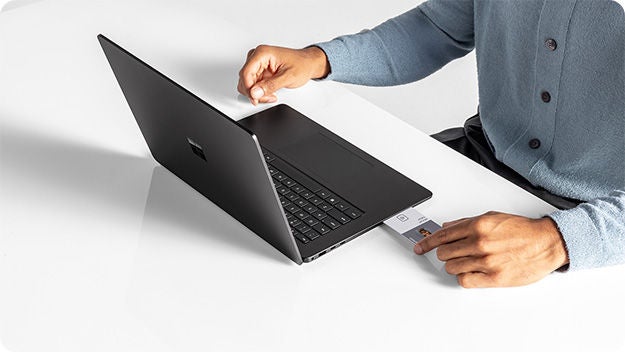
How do I create a Microsoft Advertising account step-by-step?
You sign up with a Microsoft account, enter basic business details, and choose your primary goals, like calls, website visits, or online sales. From there, you add a payment method and either import existing campaigns or create your first campaign from scratch. The setup wizard will guide you through each step so you’re not starting with a blank page.
Do I need a Microsoft account to use Microsoft Advertising?
Yes, you’ll use a Microsoft account (such as an Outlook, Hotmail, or work account) to sign in. If you don’t have one yet, you can create it during the signup process. Once that’s set, you’ll use the same login to manage your campaigns, billing, and reporting.
How do I set up my payment method so my ads don’t stop running?
You can add a credit card or other payment methods in the billing section of your account. Choose the payment option that fits your business, and make sure the details stay up to date so payments go through smoothly. Keeping an eye on billing alerts in your account helps prevent unexpected pauses in your ads.
How do I set a daily or monthly budget in Microsoft Advertising?
When you create or edit a campaign, you’ll set a daily budget that tells Microsoft how much you’re comfortable spending per day. You can think of it as a control knob to manage your monthly spend across all campaigns. If you’re new, start lower, then adjust up as you see what’s working.
What is the simplest campaign type to start with for my business goals?
For most small businesses, a basic search campaign focused on your core services or products is the easiest place to begin. If your main goal is phone calls or form fills, you can optimize for conversions. If you run an online store, a shopping campaign is the next logical step once you’ve set up product feeds.

How do I import my existing Google Ads campaigns into Microsoft Advertising?
Microsoft Advertising has a built-in Google import tool that connects to your Google Ads account. You choose which campaigns to bring over, review the settings, and import them directly into your Microsoft account. It’s designed to save time and give you a familiar starting point.
What doesn’t transfer when I import campaigns from Google Ads to Microsoft Ads?
Most core settings come over, but some features don’t map perfectly between platforms. Things like certain audience types, extensions, or beta features may need manual review or adjustments. After the import, it’s worth scanning your campaigns to confirm targeting, bids, and tracking look right.
What should I review and fix after importing my Google Ads campaigns?
Check your budgets, bids, locations, and tracking first, since those directly affect spend and performance. Then review your keywords, match types, and negative keywords to align with how you want to reach customers on Microsoft’s network. Finally, skim your ads to ensure the messaging still fits the audience and search intent here.

How do I create my first search campaign in Microsoft Advertising?
You’ll pick a goal, name your campaign, and set your daily budget. Then you create ad groups with related keywords, write ads that match those searches, and choose where you want your ads to appear. Once everything is set, you review and launch – and you can always come back to tweak as you learn.
How do I choose the right keywords for my small business?
Start with the real phrases your customers actually use to describe your products, services, and location. Use keyword suggestions and search term reports to expand and refine that list over time. Focus on intent: keywords that signal someone is ready to buy or contact you are usually more valuable than broad, vague terms.
What are keyword match types in Microsoft Ads, and which should I use as a beginner?
Match types control how closely a search has to relate to your keyword before your ad can show. As a beginner, you might start with a mix of phrase and broad match, then add exact match for high-performing terms. Over time, you’ll refine match types based on what brings in quality clicks and conversions.
How do I write compelling text ads that make people want to click?
Use clear, simple language that matches what your customer just searched for. Highlight your main benefits, prices, or offers, and include a strong call to action like “Get a quote” or “Shop now.” Make each line work hard for you: speak to a real customer problem and show why you’re the best choice.
How do I set my location, language, and device targeting for my ads?
In your campaign settings, you can choose the countries, regions, cities, or radius around your business that you want to reach. You’ll also set language and can adjust how often your ads show on different devices. For most local businesses, starting with your core service area and all devices is a good baseline, then refine as you see performance patterns.
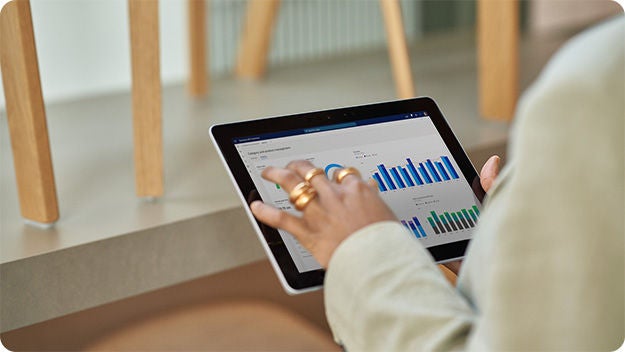
How can I tell if my Microsoft Ads are actually working?
Look beyond clicks and focus on actions that matter to your business, like calls, form fills, or online sales. Set up conversion tracking so you can see which campaigns, keywords, and ads drive real results. Over time, you’ll spot patterns that help you shift budget toward what delivers the best return.
What is a “conversion” in Microsoft Advertising, and how do I set it up?
A conversion is any meaningful action you want customers to take, such as a purchase, a lead form submission, or a phone call. You set up conversions in your account and install the tracking code on your site so Microsoft can measure those actions. Once tracking is in place, you’ll see which parts of your account are driving real outcomes.
Which basic reports should I check during my first month of advertising?
Start with campaign, ad group, and keyword performance to see where your budget is going. Add the search term report to understand the actual queries triggering your ads and find ideas for new keywords or negatives. Checking these regularly gives you a simple, clear view of what’s working and what needs attention.
What is a good click-through rate (CTR) and cost per click (CPC) for a small business?
“Good” will vary by industry, competition, and your specific goals. Instead of chasing a universal benchmark, look for steady improvement in your own CTR and CPC over time. If your ads are relevant and your targeting is focused, you’ll usually see CTR rise and CPC stabilize as you optimize.
My campaign is getting impressions but no clicks. What should I look at first?
Review your ad copy and make sure it clearly matches what people are searching for. Check that your headlines are compelling and that your offer stands out. You may also need to refine your keywords so you’re not showing up for irrelevant searches that don’t match your business.
My campaign is getting clicks but no leads or sales. What should I fix first?
Start by looking at your landing page: is it clear, fast, and focused on one main action? Make sure your ad promise matches what people see after they click, so there’s no disconnect. If the page looks good, review your keyword intent and make sure you’re attracting people who are ready to take the next step.

What are 3–5 simple optimizations I should do every week in Microsoft Advertising?
Each week, pause keywords and ads that are spending but not converting, and shift budget toward your top performers. Add negative keywords to block irrelevant searches and keep your traffic focused. Refresh underperforming ad copy, review your bids and budgets, and keep an eye on key metrics like conversions, cost per conversion, and CTR.


Your input makes us better
Take our quick 3-minute survey and help us transform your website experience.
