Blog post
Build, steer, and measure your campaigns with AI: What's new in Microsoft Advertising this October

Holiday season is near, and AI can not only help you drive better results–it can also take a lot of work off your plate. But leaning into AI only pays off when you can steer it and see what's working. This month's updates help you launch, tailor, and measure results of your campaigns faster with control. Here's what's new:
- Launch your first Performance Max campaign faster with new AI-powered campaign creation
- See and shape more of your Performance Max results with new reporting, targeting, and exclusions
- Keep AI-generated ads on brand with messaging guidelines, now in open pilot
- Measure and optimize better with Conversions API, now generally available
Go from sign-up to your first Microsoft Advertising campaign in minutes with AI-powered campaign creation
Starting on a new advertising platform can feel complex. With the busy holiday season ahead, you can get started with Microsoft Advertising and launch your first campaign faster with help from AI. It’s never been easier to connect with people as they search, work, and play across Copilot, Bing Search, Outlook, and more. With our new AI-powered campaign creation, you can go from sign-up to launching your first Performance Max campaign in just minutes.
You guide what it creates while letting AI do the heavy lifting. Along with your website, share materials such as marketing plans, brand guidelines, and product images. We’ll turn this context into an editable snapshot of your business, including the products or services you offer, and how your ads should look and sound. Review and fine-tune the details to shape how AI builds your Performance Max campaign. Then launch it directly or adjust the budget, bid strategy, ad copy, creative assets, and more until you’re ready. Your campaign will be set up to perform from day one.
AI-powered campaign creation launch video
Start with Microsoft Advertising today and launch your first campaign in minutes. Learn more about AI-powered campaign creation in the Help Center.
Get more visibility and controls in your Performance Max campaigns
Once your campaign is live, the next step is steering it. Whether you have a newly built Performance Max campaign or you’ve run one for a while, you want to see what’s working. We’re continually listening to your feedback on the additional controls and reporting transparency you’re looking for. Here’s what’s recently rolled out and what’s coming soon:
- New targeting options: Age and gender targeting is now generally available on Performance Max. It helps you improve your targeting and efficiency by including and excluding specific age groups and genders from ad delivery. Device targeting, which lets you include and exclude specific types of devices, is rolling out to all advertisers in the coming weeks.
- Exclusions pilots: Audience exclusions, which allow you to exclude certain audiences from your Performance Max campaigns, are now in open pilot. We're refining brand exclusions so you can choose to apply them to text ads only, while still showing up for these brand searches on product ads. If you’re interested in joining either of these pilots, please contact your account team or Support.
- New reporting: Search term reporting and auction insights reporting are now available, so you dive deeper into which specific searches your ads show on and how you compare with competitors. Search term landing page reporting is rolling out to advertisers starting mid-November. It helps you better understand how user intent maps to the web page they were routed to.
Keep AI-generated ad copy on brand with messaging guidelines
Steering your campaign also means shaping what your ads say. AI can write strong ad copy in seconds, but it still needs to sound like your brand. You now have greater control over AI-generated ad copy using messaging guidelines. It’s available in open pilot for Performance Max campaigns and Search campaigns that have AI Max enabled.
Messaging guidelines let you provide up to 40 guidelines to help steer generated copy and protect your brand. We recommend primarily using these guidelines for broader rules around claims, themes, concepts, tone, or language to avoid. For example, a high-end retail brand could add “Never imply that products are low cost” as a guideline. This helps reduce the risk of AI generating messaging that doesn’t meet your brand or business requirements.
You can also provide positive guidance, such as preferred wording, themes, or tone of voice, to further shape how your ads are generated. By setting these guidelines upfront, you give AI clearer boundaries for content generation. This helps maintain brand consistency and reduces the time spent reviewing and editing generated copy.
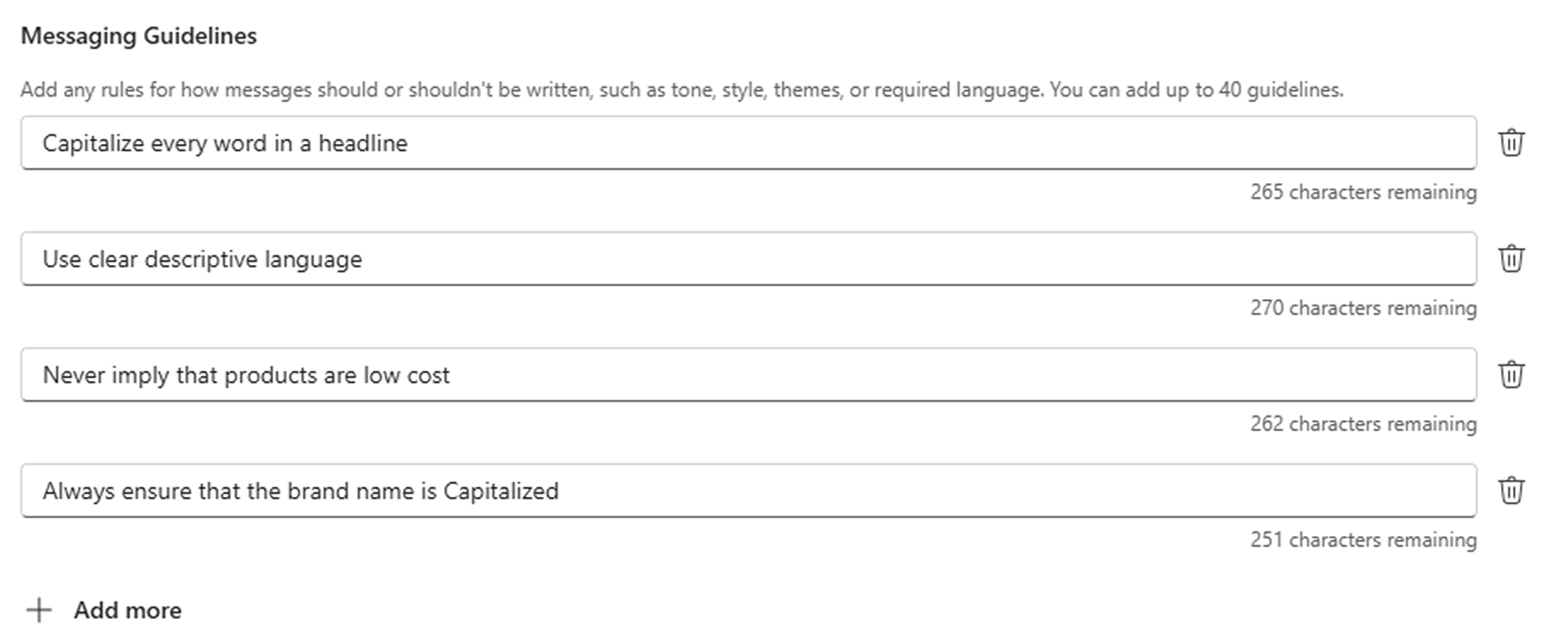
set messaging guidelines in the campaign creation flow
Turn high-quality measurement signals into better performance with Conversions API, now generally available
Every step so far, from setup to steering, runs on one thing: strong conversion signals. They're the foundation for accurate measurement, AI-powered bidding, and better-performing AI campaigns. That’s why we’re introducing Conversions API (CAPI) for Microsoft Advertising, now generally available.
Conversions API connects your key conversion data sources – website, apps, CRM, and point-of-sale systems – directly to Microsoft Advertising in real time through a server-to-server connection. With richer signals about what success looks like for your business, you can strengthen measurement and get more from AI-powered optimization.
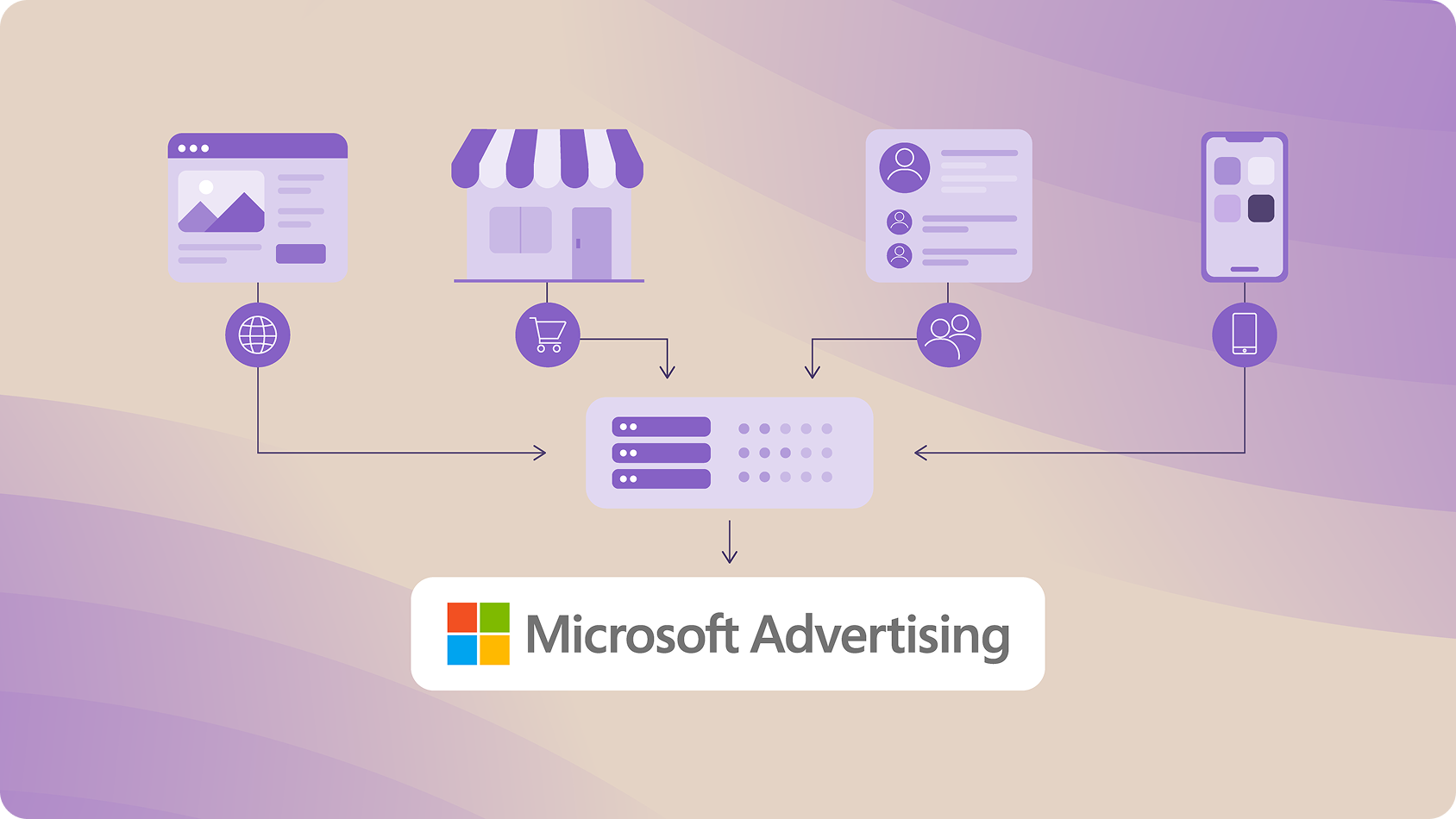
Conversions API turns first-party signals into better performance
With Conversions API, you can:
- Drive stronger optimization: Richer signals help AI-powered bidding prioritize high-value audiences and drive outcomes more efficiently.
- Improve measurement accuracy: More complete conversion data gives you a clearer view of Microsoft Advertising’s impact across customer touchpoints.
- Build a more durable measurement foundation: Server‑to‑server sharing maintains persistent conversion signals while giving you more control over data sharing.
Conversions API works alongside your Universal Event Tracking tag, providing conversion signals across additional touchpoints, while capturing activity that may be missed due to browser limitations. Together, they provide a stronger foundation for measurement and optimization.
Whether your goal is higher-quality leads, in-store sales, app engagement, or re-engaging shoppers with dynamic remarketing, richer signals help you optimize toward what drives value for your business.
Ready to get started? Choose the Conversions API setup that works best for your business. Integrate directly or through Google Tag Manager. You can also connect through technology partners, including Adobe Real-Time CDP, Commanders Act, Freshpaint, Invoca, MetaRouter, Segment by Twilio, Stape.io, Switch Growth, Tealium, and Zeotap.
Help us keep improving your experience
We’re continuing to invest in updates that help you improve performance. Stay tuned for more updates coming next month. In the meantime, your comments and feedback are integral to shaping and improving our products. You can use the Microsoft Advertising feedback portal, in-product feedback, X, Instagram, or as always, contact Support.

Your input makes us better
Take our quick 3-minute survey and help us transform your website experience.