Blog post
New import center and other product news for May 2026

Two weeks ago at our Spring Summit, we introduced a simplified Microsoft Advertising experience designed to make campaign management faster and more intuitive. In this May product roundup, we’re sharing the latest updates that help bring that vision to life. You now have an easier way to manage your campaign imports, new AI-powered bidding capabilities and insights, and more flexibility in custom columns reporting. Let’s dive into the updates for this month:
Managing your ad imports just got a lot easier
If you've used our Import tools before, you know how quickly you can bring your Google or Meta ads into Microsoft Advertising without starting from scratch. But once you're running multiple imports, keeping track of everything is a different story: Which imports ran? What needs fixing? How do you edit that one import from last month? What Import settings should you change?
The new Import Center brings everything together to make your life easier.
- Get performance tips right after you import. You no longer have to wonder if your campaigns are set up for success on Microsoft Advertising. After each import, you'll now see tailored best practices to help improve performance without digging through campaign settings.
- Fix issues faster. When something doesn't import correctly, you'll see exactly what went wrong and get step-by-step actions to resolve it with a simplified view. Clear guidance, right there for each import, so you don’t need to wait for support.
- Find any imports in seconds. Running lots of imports? Search by import name or use the new filters to quickly narrow down what you're looking for, check status, edit or pause the import, or jump straight into imported campaigns to optimize settings, all from one place.
A video of the new Import Center
These updates reduce manual troubleshooting and make it easier to import and run new campaigns from the start. We'll keep improving Import tools to simplify cross-platform campaign management.
Drive performance more efficiently with cross-account portfolio bidding
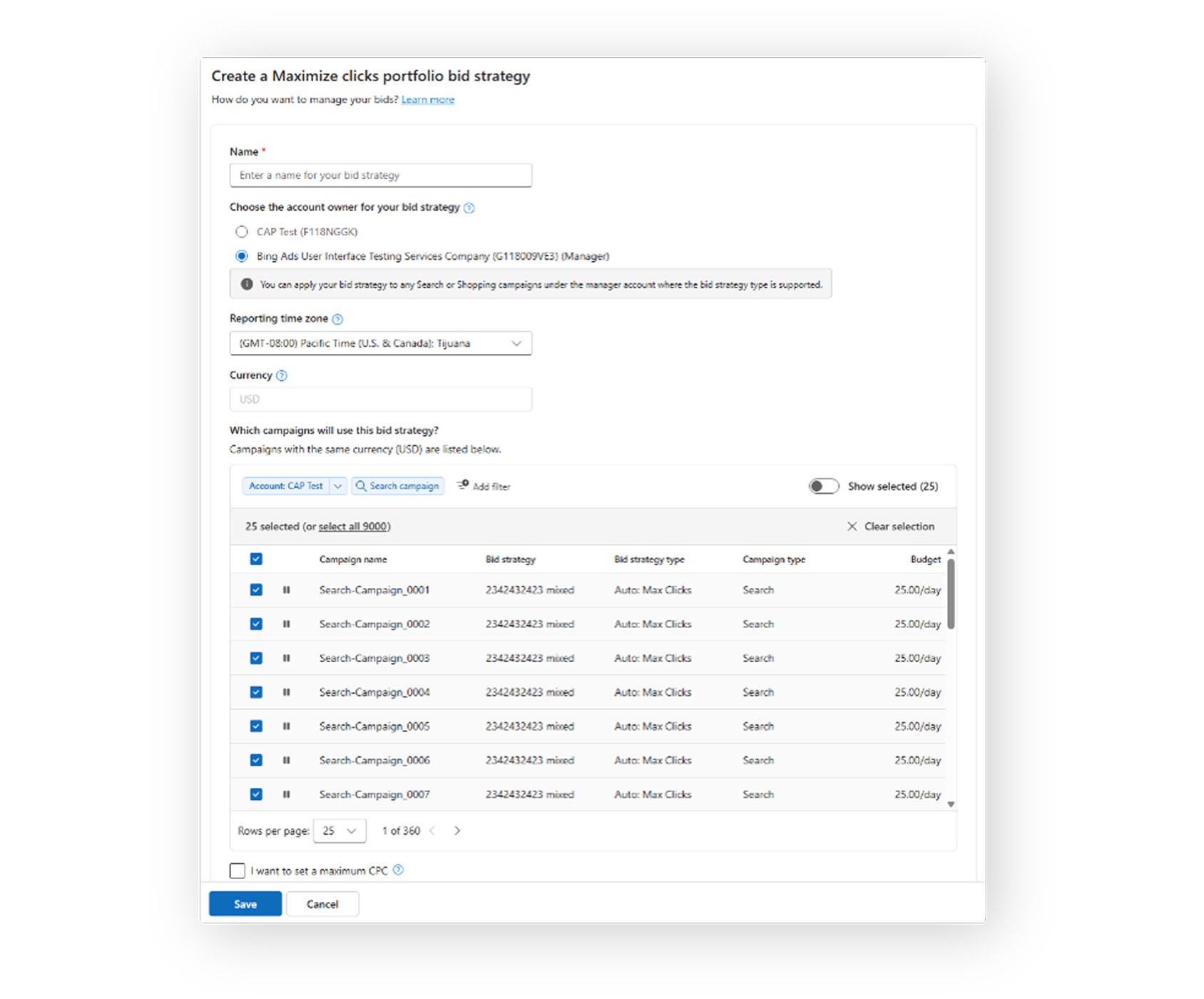
Portfolio bid strategies enable smarter optimization by pooling data and signals across campaigns, allowing automated bidding to learn more efficiently and drive more consistent results. They also make sure your budgets are spent efficiently across your multiple campaigns and their shared goal.
We’re excited to announce that cross-account portfolio bidding is now available in Microsoft Advertising, allowing you to manage these portfolio bid strategies across campaigns in multiple accounts. This is available for Search and Shopping campaigns.
Understand bid strategy performance with new metrics
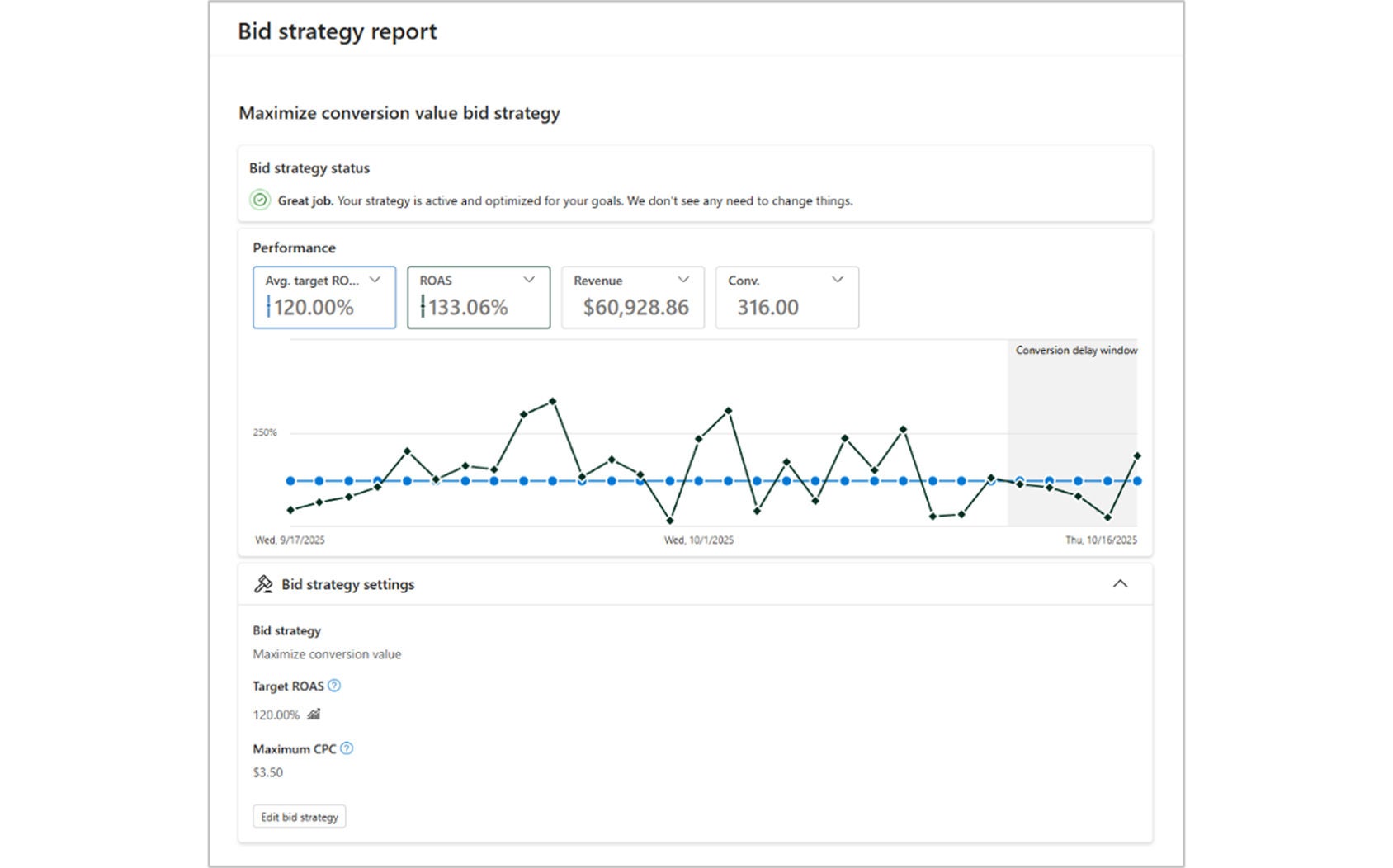
To better understand how your bid strategies are performing, new metrics are also available in the bid strategy report: Avg. Target ROAS, Avg. Target CPA, and Avg. Target impression share–all at the campaign, account, and portfolio levels.
The bid strategy report helps you visualize key metrics to quickly understand your bid strategy performance and your progress towards your goals. You can also better understand conversion delays and use bid landscape insights to see how adjusting targets may impact performance—helping fine-tune your strategy directly in the UI.
In case you missed it: Seasonality adjustments for portfolio bidding and data-driven attribution
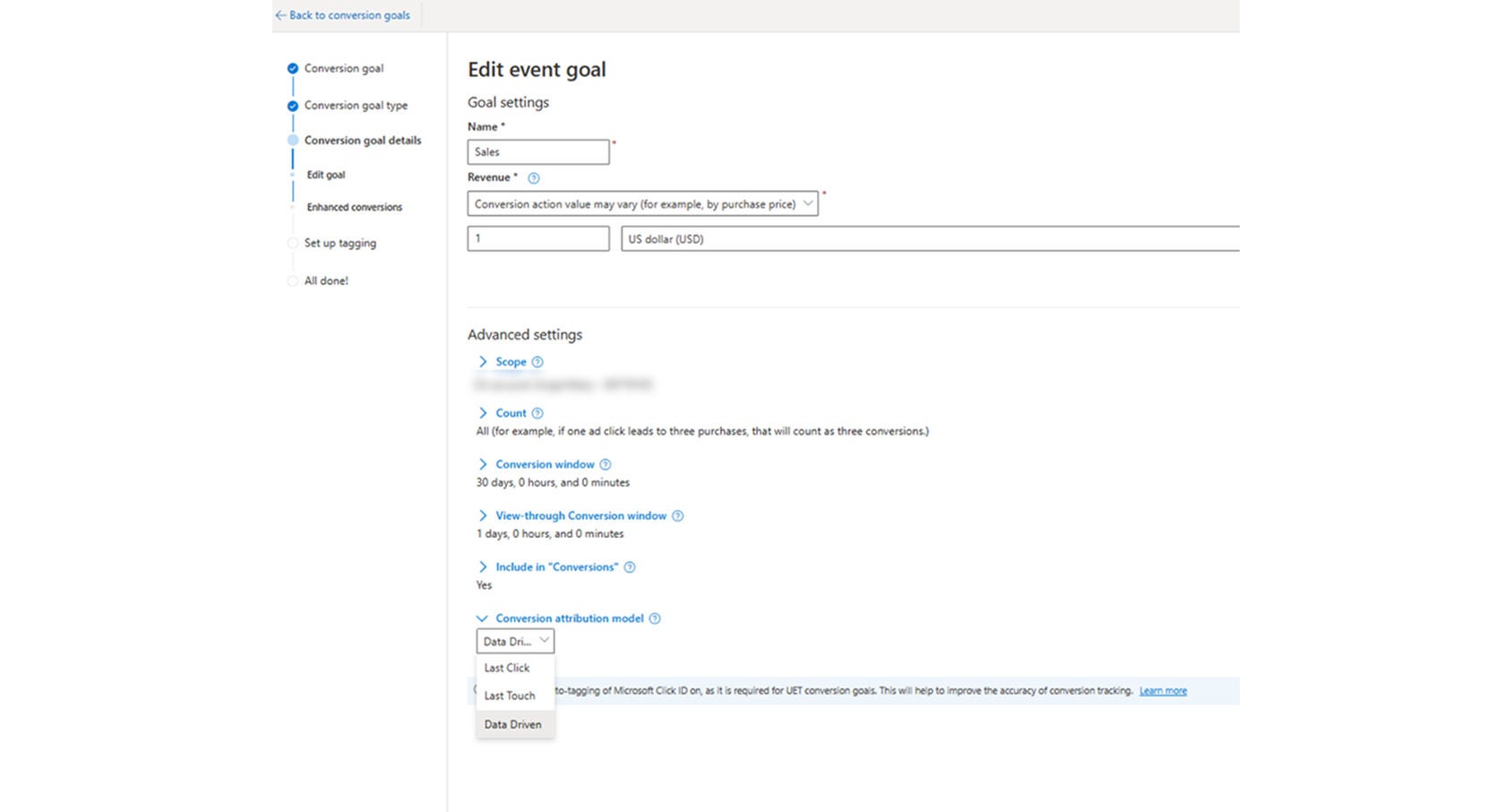
As highlighted in our April roundup post and Spring Summit announcements, there are two additional improvements to AI-powered bidding rolling out. First, seasonality adjustments for portfolio bidding and shared budgets are now fully available for all advertisers. Additionally, data-driven attribution is now rolling out to all advertisers by the end of May. This new attribution model assigns conversion credit across the full customer journey and works for any campaigns using the following bid strategies: Maximize Conversions (with optional Target CPA), Maximize Conversion Value (with optional Target ROAS), and Enhanced CPC.
Create more flexible reports with new custom columns metrics
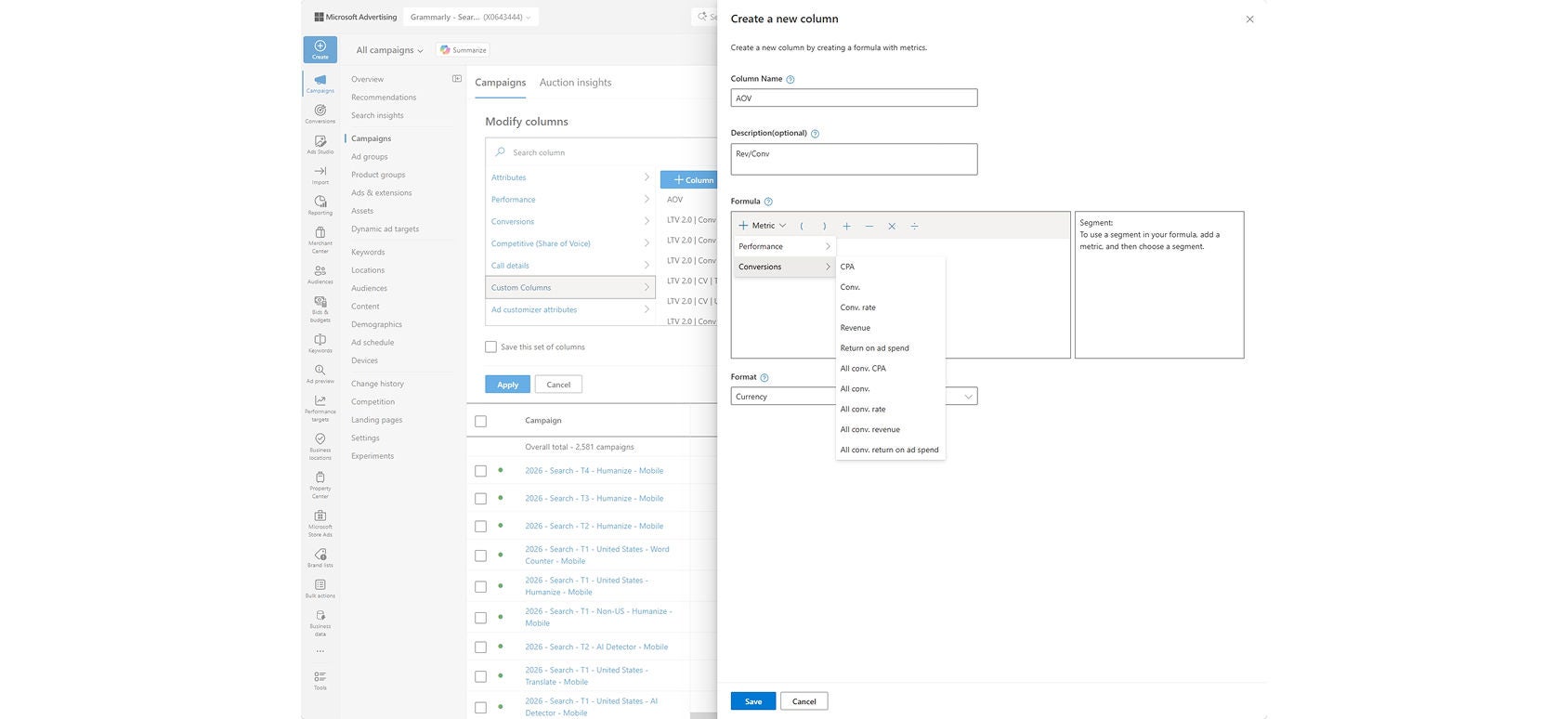
Last but not least, we’ve heard your feedback in wanting more transparency and flexibility in reporting. Now, custom columns support all conversion metrics!
Custom columns allow you to create your own unique metrics based on the data ratios that matter to you. With these new updates, you can now segment by goal name and see all conversion goals available in the custom column builder. You can also expand your analysis with additional conversion metrics such as All Conv., CPA, and ROAS.
This way, you can better tailor reporting to your business goals and make faster, more informed optimizations, all right in the Microsoft Advertising platform.
Help us keep improving your experience
We’re continuing to invest in AI innovations that make it easier to manage campaigns and improve your performance. We’ll see you back here in June with another recap, and stay tuned for more exciting updates coming soon.
In the meantime, your comments and feedback are integral to shaping and improving our products. You can use the Microsoft Advertising feedback portal, in-product feedback, X (Twitter), Instagram, or as always, contact Support.

Your input makes us better
Take our quick 3-minute survey and help us transform your website experience.