Blog post

Reimagining Search campaigns for the AI era with AI Max

August 27, 2026
Graphic showing the AI Max feature toggle. A white rounded rectangular panel displays a sparkle-style AI icon, the text “AI Max”, and a blue toggle switch in the enabled (on) position against a light beige background.

AI Max brings Microsoft AI to standard Search campaigns through search term matching, text customization, and final URL expansion. Together, these features help advertisers reach more relevant searches, deliver more relevant creative, and connect customers with the right landing page. Built-in reporting, brand controls, term exclusions, and existing campaign settings provide the visibility and control advertisers need to test and guide performance.

AI-powered experiences are helping people research, compare, and act faster than ever before, moving from discovery to decision in fewer steps. In fact, ads within Copilot experiences are creating a more seamless path forward, driving 101% higher engagement relative to traditional Search ads.1 And when comparing user journeys that resulted in a purchase, we found that paths with Copilot saw a 53% increase in purchases within 30 minutes of that interaction.2

At the same time, search queries across Bing and AI-powered chat experiences are becoming longer, richer, and more intent-driven. In the U.S. alone, average query length increased 14% from Q1 to Q2 this year as people find even more ways to express their needs.3

As search behavior evolves, advertisers need tools that can understand changing intent, adapt to emerging queries, and help them show up in the moments where new discoveries and decisions are being made. AI Max was built to solve that challenge, and now, it's available to all advertisers in Microsoft Advertising.
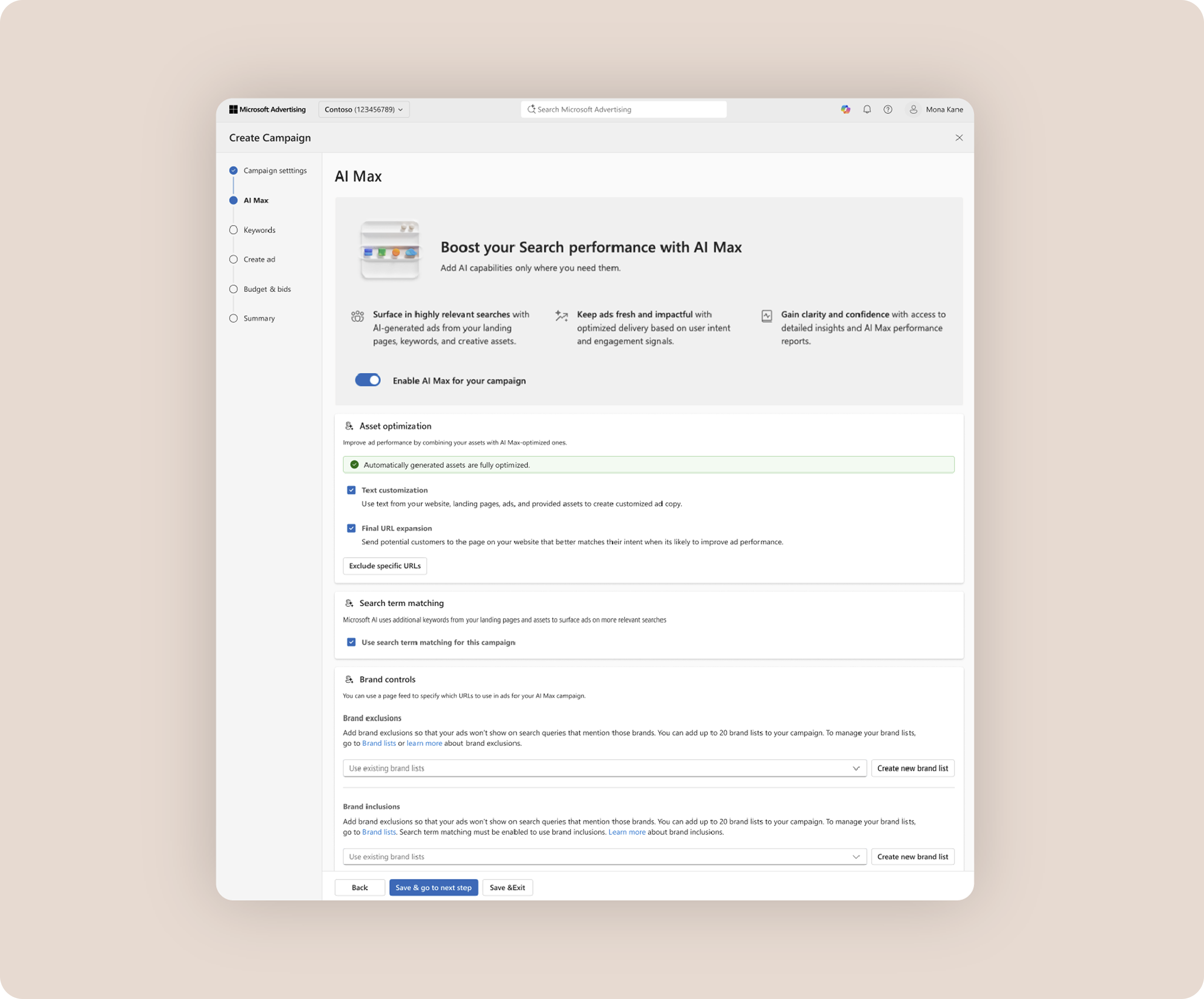
 

Screenshot of the AI Max setup experience in Microsoft Advertising's Search campaign workflow. The interface highlights AI Max capabilities, including asset optimisation, text customisation, URL expansion, and search term matching, with a toggle to enable AI Max for the campaign.

AI Max, found in Microsoft Advertising's new Search campaign creation flow and campaign settings pages

AI Max is an optional suite of Search campaign features that combine your existing campaign content with the power of Microsoft AI to help you reach more relevant searches and show more relevant ads. It brings together three capabilities to help you drive more conversions from Search:

  • Search term matching expands reach beyond your keyword list. It uses your keywords, ads, landing pages, and other contextual signals to uncover relevant searches you may not be reaching today—including more complex, conversational queries. It also helps you capture both traditional and AI-driven searches, where a single prompt from a consumer may generate multiple underlying AI searches and exploration paths.
  • Text customization scales relevant creative. Microsoft AI uses your existing assets and website content to generate and test additional messaging variations. It then selects the most appropriate combinations at auction time, helping you deliver more relevant ad creative across both traditional Search and AI-native experiences.
  • Final URL expansion routes people to the page on your site that best matches their intent. Instead of always sending traffic to a static landing page, it can route people to the page that best matches what they're looking for—all while ensuring a more consistent user experience across query, creative, and website.

While each feature can provide value on its own, they work best together. The more of your website that AI Max can understand, the more effectively it can identify relevant searches, generate relevant creative, and connect customers with the products and services they're looking for. Final URL expansion helps make that possible by giving AI Max a more complete understanding of your business.

And better AI optimization translates into stronger performance. In early tests, advertisers saw at least an 8% increase in conversions with Microsoft AI Max versus control Search campaigns with AI Max disabled. For campaigns relying more heavily on Exact and Phrase match keywords, the observed uplift was higher.4

BBQGuys, a trusted brand in grilling and outdoor living, saw this firsthand. They used AI Max to connect with consumers searching with more niche, long-tail queries—like specific burner configurations and custom dimensions—that were impossible to target manually.


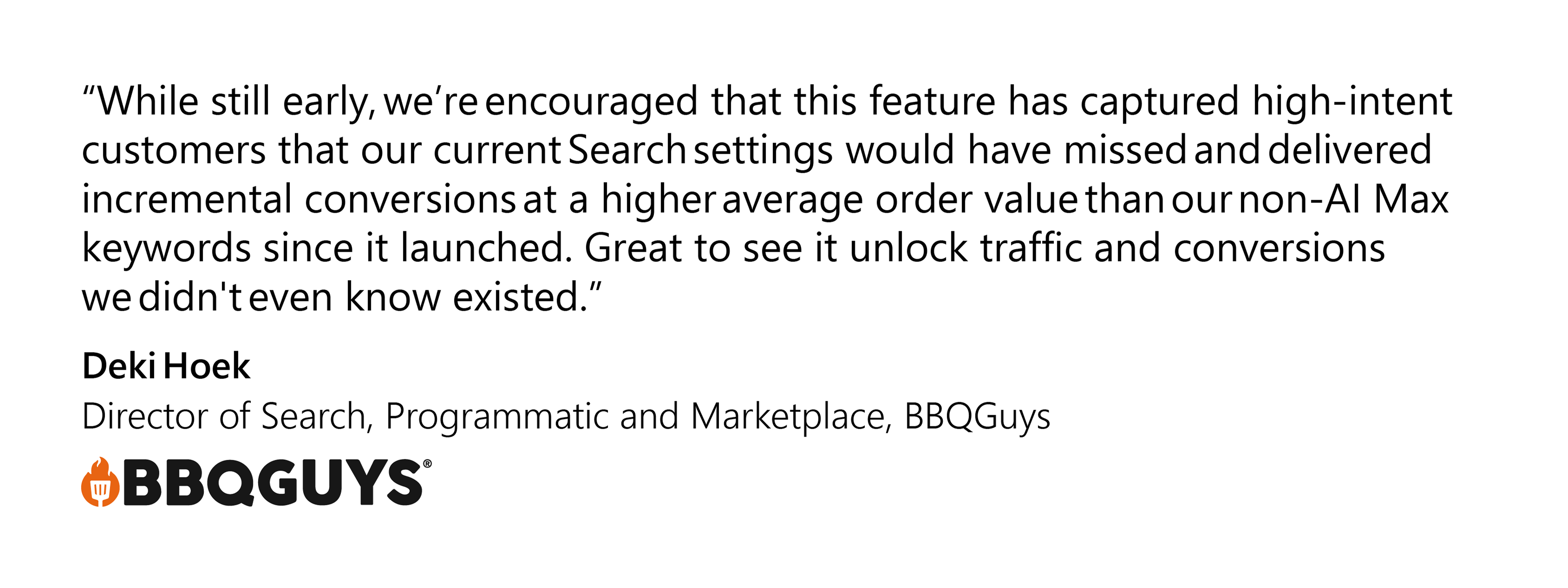
Client quote with the text “While still early, we’re encouraged that this feature has captured high-intent customers that our current Search settings would have missed and delivered incremental conversions at a higher average order value than our non-AI Max keywords since it launched. Great to see it unlock traffic and conversions we didn't even know existed."— Deki Hoek, Director of Search, Programmatic & Marketplace, BBQGuys

Using AI to improve performance shouldn't mean less visibility. That's why transparency was built into Microsoft’s AI Max from day one. With AI Max, you’re able to:

  • See how it expands query matching via a new “AI optimized” match type label found in your search term and keyword reports.
  • Review AI-generated assets alongside your advertiser-provided creative in the asset report.
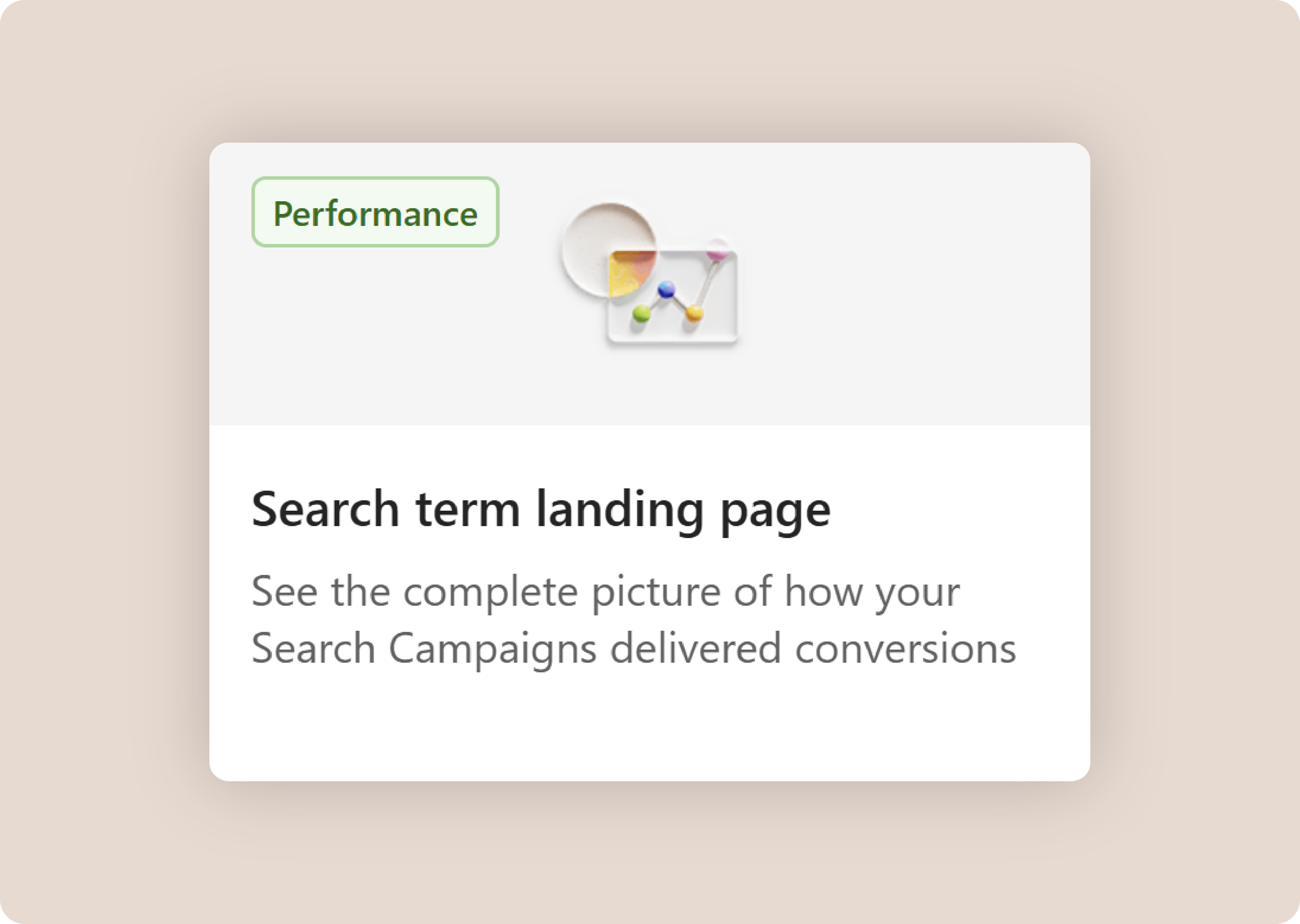
  • View how it’s routing your traffic to different landing pages with the final URL expansion feature through our new search term landing page report template.


Screenshot of the new search term landing page report template found in Microsoft Advertising's Reports interface.

The new search term landing page report template found in Microsoft Advertising's Reports interface


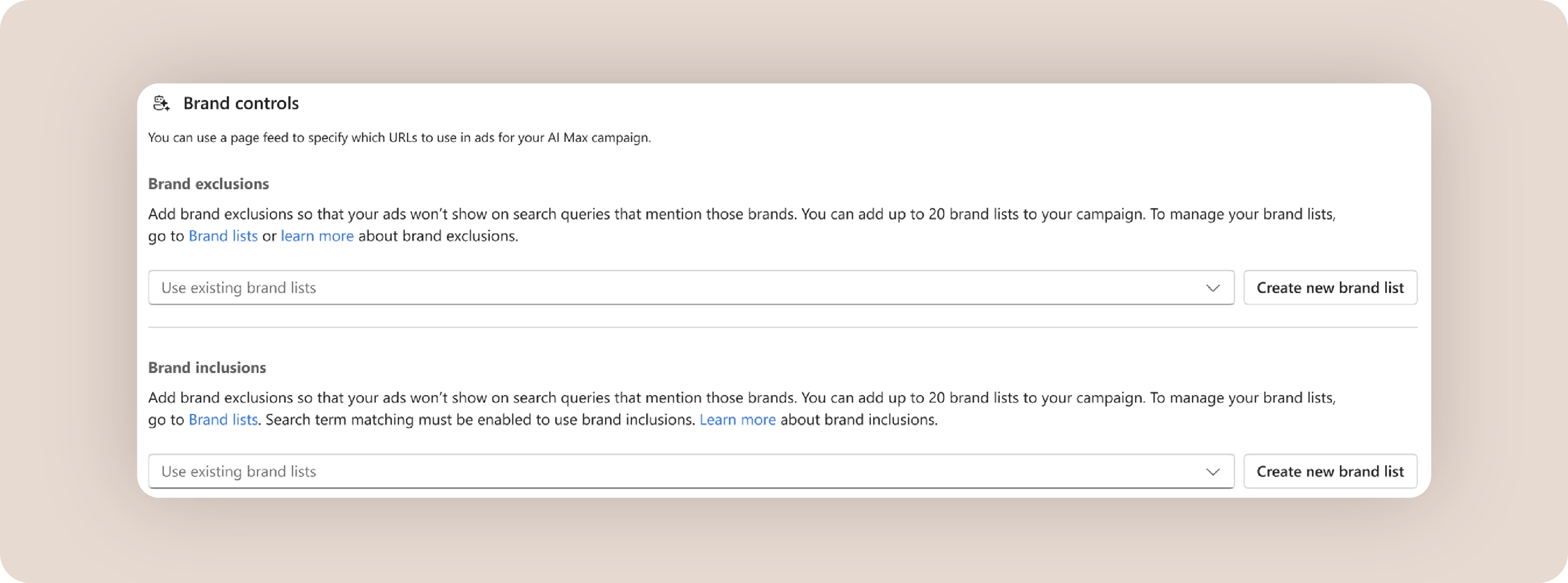
Transparency is only one part of the equation. AI Max also operates within your existing campaign boundaries and respects all existing Search campaign controls—including negative keywords, bidding strategies, budgets, conversion goals, and targeting settings. You can also use additional controls like brand inclusions and exclusions to shape how your Search campaigns participate in brand-related traffic.


Screenshot of the Brand Controls section in Microsoft Advertising AI Max campaign settings. The interface allows advertisers to manage brand exclusions and brand inclusions using brand lists, helping control which brand-related search queries can trigger ads. Buttons to select existing brand lists or create new brand lists are displayed.

The new brand exclusions and inclusions function found within AI Max


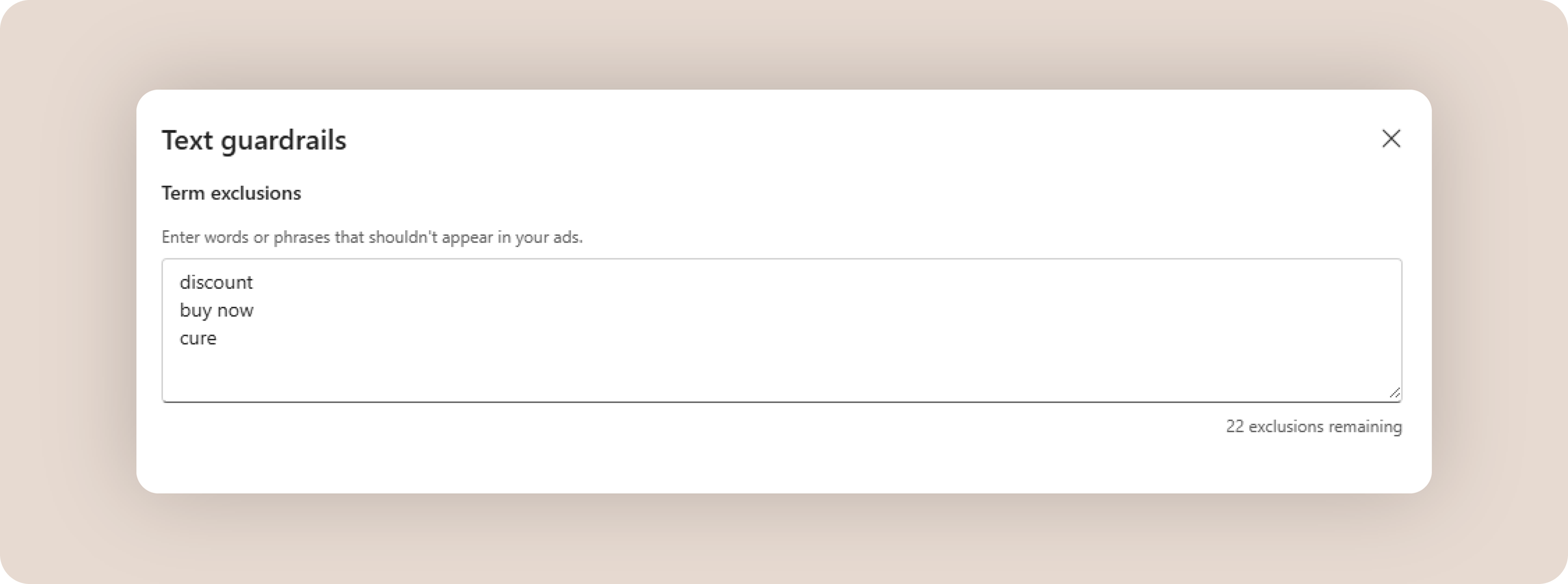
Other controls like term exclusions help you prevent specific words or phrases from appearing in AI-generated creative assets. Prompt-based messaging guidelines, which are coming soon, will provide an additional layer of guidance for AI-generated creative.


Screenshot of the Text Guardrails feature in Microsoft Advertising AI Max. The interface allows advertisers to define term exclusions by entering words or phrases that should not appear in AI-generated ad copy, with examples including “discount,” “buy now,” and “cure.” The screen also shows the number of remaining exclusions available.

Term exclusions found within the text guardrails interface

As AI Max rolls out, you may notice a few changes across your Search campaigns. 

If you're already using auto-generated assets with Responsive Search ads, you'll now see that capability reflected within AI Max as the “text customization” feature. Your existing AI settings will continue to work as expected, as this change doesn’t opt you into the broader AI Max feature set.

If you're using Google Import, AI Max settings can now be carried over from Google Ads. For accounts using scheduled imports, any Microsoft campaigns that correspond to campaigns with AI Max enabled in Google Ads will continue to inherit those settings during future syncs. AI Max will also be enabled by default for any new Search campaigns you create in Microsoft Advertising, though it can still be turned off at any time during campaign creation or afterwards.

Finally, while Google has announced its transition away from Dynamic Search ads (DSA), DSA campaigns will continue to be supported in Microsoft Advertising until further notice. If you're using Google Import, upgraded DSA campaigns will be converted back to standard Dynamic Search ads campaigns in Microsoft Advertising. We'll share more details on future enhancements and timing as they become available.

Built with your feedback in mind, AI Max helps you capture the full spectrum of modern search—from traditional queries to AI-powered discoveries. Just as importantly, it gives you the control and transparency you need to understand, optimize, and guide that performance.

Ready to start reaching more relevant searches with more relevant ads? Sign in today to test all three AI Max features or talk to a Microsoft Advertising expert to get started.


[1] Microsoft first-party data, Global, Jun-Aug 2025.

[2] Microsoft first-party data, Global, Dec 2024.

[3] Microsoft first-party data, Global, Q1-Q2 2026.

[4] Microsoft internal data, June-August 2026, Global. Analysis of 44 advertiser-run A/B experiments, comparing Search campaigns with Microsoft AI Max enabled versus disabled while retaining bid strategy and campaign budget. Spend-weighted conversion uplift of the 44 advertisers is ~13.6%. 10 experiments had statistically significant positive results on conversions or conversion value with the lower CI at 8.2%.

Authors

  • Carolyn Chou

    Carolyn Chou

    DIRECTOR, PRODUCT MANAGEMENT, MICROSOFT ADVERTISING